How to Show Elements in the Desktop View but not Mobile and Exports
Last updated: November 27, 2024
You can hide components on mobile and export views by selecting the specific formats when in the dashboard edit view, and then hiding specific components using the panel on the left.
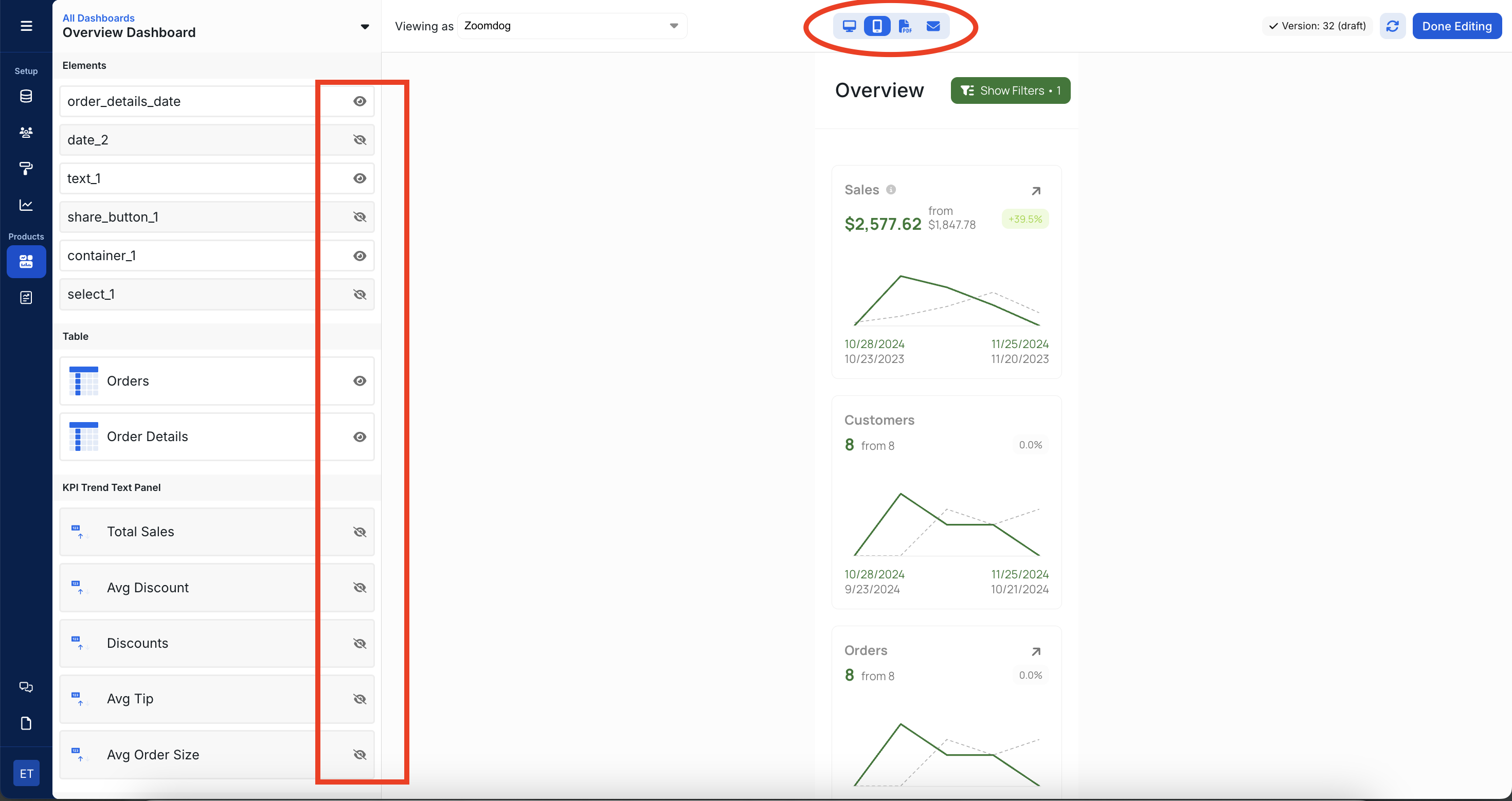
If you want to hide elements on desktop views that appear on mobile, you can use the hide element parameter when embedding.
Steps
Add the element you want to show in mobile view to the dashboard.
When embedding the dashboard in your desktop app, use the
hideoption to hide the element.
For example, if you want to show a report title card only in the mobile view, you would:
Add the report title card to the dashboard.
In your desktop app code, embed the dashboard with the
hideoption set to the ID of the report title card element.
Check out the embedding documentation for more details on using the hide option.