Persist Filters Across Dashboards
Last updated: November 27, 2024
Users can set filters on one dashboard and have those same filters applied as they move across your app and onto different dashboards.
Implementation
Set up a listener for
sendVariableUpdatedEventwhich will returnvarNameandnewValue.When the
varNameequals the corresponding filter, save that value.
As an example if you're looking to persist this date filter, thevarNamein this case will becategory_selectionand after the user selects the category, thenewValuewill be"Art"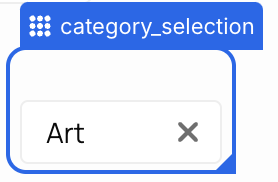
When the user navigates to the next dashboard, pass in this value into the embed code for the corresponding filter on this dashboard.
If embedding via web component it will use this syntax:<explo-dashboard variables={JSON.stringify({ var1: 'value', })}> </explo-dashboard>For iFrame embeds:
src='https://app.explo.co/iframe/[JWT]/?var_1="value"'